

Request Demo Izmir, Turkey  ·  +90 507 663 65 54
Features

Work Schedule & Calendar

Who is going where, and on which day?

Overview

Field Work Managed Through Records

The Work Schedule is the module where field jobs are planned, assigned to the team and tracked. The Calendar is the company calendar for appointments, visits and reminders; events are reminded by email and SMS, can recur, and their completion status is tracked.
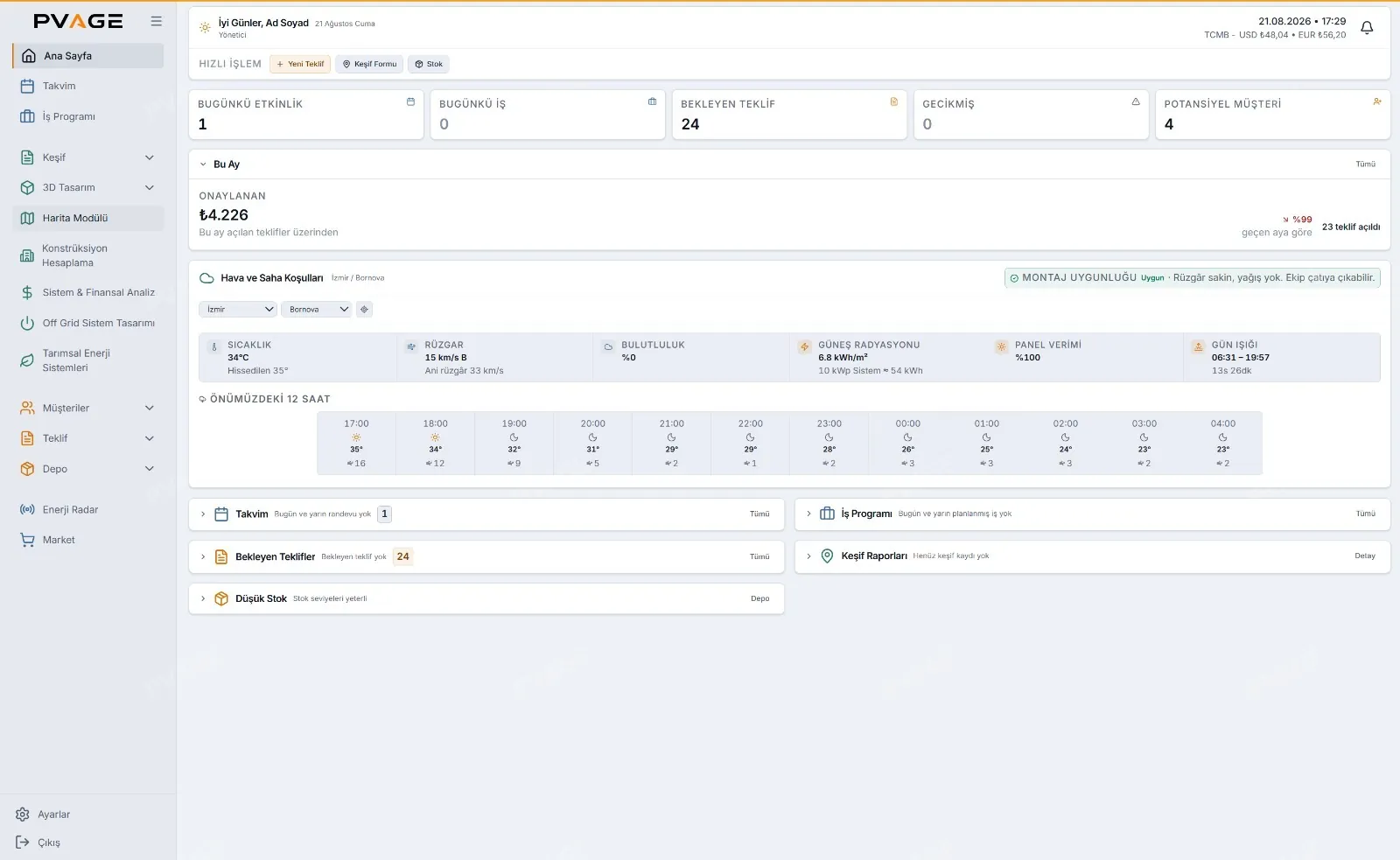
PVAGE dashboard: today's jobs, calendar and weather
Capabilities

What You Can Do

Work Schedule

  • Job record — title, category, date range, linked customer and equipment list
  • Assignment of one or more staff members
  • Location — by address or Google Maps link; the saved location opens in the maps app
  • Planned, in progress, completed and delayed statuses, with status history
  • Conflict warning — when a second job is assigned to the same person on the same day
  • List, calendar and map views
  • Compiling the daily schedule and sending it to the team

Calendar

  • Month, week and list views; search across events
  • Title, date, time, location and description fields
  • Email and SMS reminders
  • Monthly recurring reminders — for periodic maintenance and inspections
  • Completed flag and a count of unmarked events
  • On-screen and desktop notifications while the application is open
Business Value

Business Value

Crews are directed through records rather than phone calls, so who went where can be reviewed retrospectively. With the map view, jobs along the same route can be grouped on the same day. Customers promised periodic maintenance stay on track through monthly recurring reminders.

More Features

More of What PVAGE Does

Warehouse & Inventory

Stock levels, goods in and out and weighted average cost; proposal items are deducted from stock automatically.

Learn more

Website Lead Acquisition

An embedded feasibility form and solar configurator on your website send leads straight to your customer list.

Learn more

3D Roof Design

Scaled roof drawing on satellite imagery, automatic panel placement, stringing and bill of materials, presented in a satellite-textured 3D scene.

Learn more

Map Module

Draw roof and land areas on 2D and 3D satellite maps and see estimated panel count and installed capacity without a site visit.

Learn more
See all features
See It Live

Would You Like to See This Feature Live?

Try PVAGE with your own projects in a 7-day free demo; no credit card required.

Request Company Registration

Fill out the form and our team will contact you

+90

Notice: Once your request is approved, your login credentials will be sent to the phone number and email address you provided.

Request Received!

Our team will contact you shortly.

Schedule a Meeting

Fill out the form and let's set up your meeting

+90

Request Received!

Your meeting request has been received. Our team will contact you shortly.